 Ben Henning
76c734598b
Ben Henning
76c734598b
## The basics

- [x] I [validated my changes](https://developers.google.com/blockly/guides/contribute/core#making_and_verifying_a_change)

## The details
### Resolves

Fixes #9386
Fixes part of #9293

### Proposed Changes

Addresses #9386 through a number of changes:
- Ensures the flyout contents are reevaluated for ARIA changes whenever they themselves change (since previously `WorkspaceSvg` only recomputed its ARIA properties when one of its blocks self-registered which doesn't account for labels or buttons).
- Collapsible categories are now correctly wrapped by a group (since groups of tree items must be in a parent group).
-  Updates toolbox ARIA computations to be on content changes rather than having items self-specify recomputing the ARIA properties. This mitigates an issue with collapsible categories not updating the toolbox contents and thus being omitted.
- Introduced a separate pathway for computing tree info for flyout workspaces (vs. for the main workspace) in order to account for `FlyoutButton`s.
- Updated `FlyoutButton` to use a nested structure of `treeitem` then `button` in order to actually count correctly in the tree and still be an interactive button. The readout experience is actually better now on ChromeVox, as well, since it reads out _both_ 'Button' and 'Tree item' which is interesting. It seems screen readers are designed to look for this pattern but it only works if set up in a very particular way.

### Reason for Changes

Most of the changes here fixed incidental problems noticed while trying to address #9386 (such as the variables category not correctly accounting for the 'Create variable' button in the count, or not having the correct labels). Much of the count issues in the original issue were caused by a combination of missing some flyout items, and trying to compute the labels too early (i.e. before the categories were fully populated).

### Test Coverage

Since this is an experimental change, no new tests were added.

### Documentation

No documentation changes are directly needed here.

### Additional Information

None.
Blockly
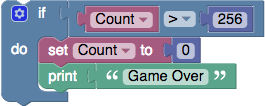
Google's Blockly is a library that adds a visual code editor to web and mobile apps. The Blockly editor uses interlocking, graphical blocks to represent code concepts like variables, logical expressions, loops, and more. It allows users to apply programming principles without having to worry about syntax or the intimidation of a blinking cursor on the command line. All code is free and open source.
Getting Started with Blockly
Blockly has many resources for learning how to use the library. Start at our Google Developers Site to read the documentation on how to get started, configure Blockly, and integrate it into your application. The developers site also contains links to:
Help us focus our development efforts by telling us what you are doing with Blockly. The questionnaire only takes a few minutes and will help us better support the Blockly community.
Installing Blockly
Blockly is available on npm.
npm install blockly
For more information on installing and using Blockly, see the Getting Started article.
Getting Help
- Report a bug or file a feature request on GitHub
- Ask a question, or search others' questions, on our developer forum. You can also drop by to say hello and show us your prototypes; collectively we have a lot of experience and can offer hints which will save you time. We actively monitor the forums and typically respond to questions within 2 working days.
blockly-samples
We have a number of resources such as example code, demos, and plugins in another repository called blockly-samples. A plugin is a self-contained piece of code that adds functionality to Blockly. Plugins can add fields, define themes, create renderers, and much more. For more information, see the Plugins documentation.
Contributing to Blockly
Want to make Blockly better? We welcome contributions to Blockly in the form of pull requests, bug reports, documentation, answers on the forum, and more! Check out our Contributing Guidelines for more information. You might also want to look for issues tagged "Help Wanted" which are issues we think would be great for external contributors to help with.
Releases
We release by pushing the latest code to the master branch, followed by updating the npm package, our docs, and demo pages. If there are breaking bugs, such as a crash when performing a standard action or a rendering issue that makes Blockly unusable, we will cherry-pick fixes to master between releases to fix them. The releases page has a list of all releases.
We use semantic versioning. Releases that have breaking changes or are otherwise not backwards compatible will have a new major version. Patch versions are reserved for bug-fix patches between scheduled releases.
We now have a beta release on npm. If you'd like to test the upcoming release, or try out a not-yet-released new API, you can use the beta channel with:
npm install blockly@beta
As it is a beta channel, it may be less stable, and the APIs there are subject to change.
Branches
There are two main branches for Blockly.
master - This is the (mostly) stable current release of Blockly.
develop - This is where most of our work happens. Pull requests should always be made against develop. This branch will generally be usable, but may be less stable than the master branch. Once something is in develop we expect it to merge to master in the next release.
other branches: - Larger changes may have their own branches until they are good enough for people to try out. These will be developed separately until we think they are almost ready for release. These branches typically get merged into develop immediately after a release to allow extra time for testing.
New APIs
Once a new API is merged into master it is considered beta until the following release. We generally try to avoid changing an API after it has been merged to master, but sometimes we need to make changes after seeing how an API is used. If an API has been around for at least two releases we'll do our best to avoid breaking it.
Unreleased APIs may change radically. Anything that is in develop but not master is subject to change without warning.
Issues and Milestones
We typically triage all bugs within 1 week, which includes adding any appropriate labels and assigning it to a milestone. Please keep in mind, we are a small team so even feature requests that everyone agrees on may not be prioritized.
Good to Know
- Cross-browser Testing Platform and Open Source <3 Provided by Sauce Labs
- We test browsers using BrowserStack